
Check Friends' Moods in Real Time
Vibes Widget is a free social and communication tool designed to help users stay connected with friends through real-time status updates. By placing a widget on the lockscreen, the app enables instant sharing of emotions, photos, music, and location, offering a unique way to monitor how friends are feeling without navigating through multiple platforms. The tool is ideal for individuals seeking a streamlined, visual method to maintain emotional connections in their social circles.
It’s particularly useful for close-knit groups who value frequent, low-effort check-ins. Developed by Nibble Audio Inc, the app emphasizes simplicity and immediacy in communication. Real-world usage includes quick emotional updates during busy days, sharing music or photos to express mood, and receiving instant notifications when friends update their status.
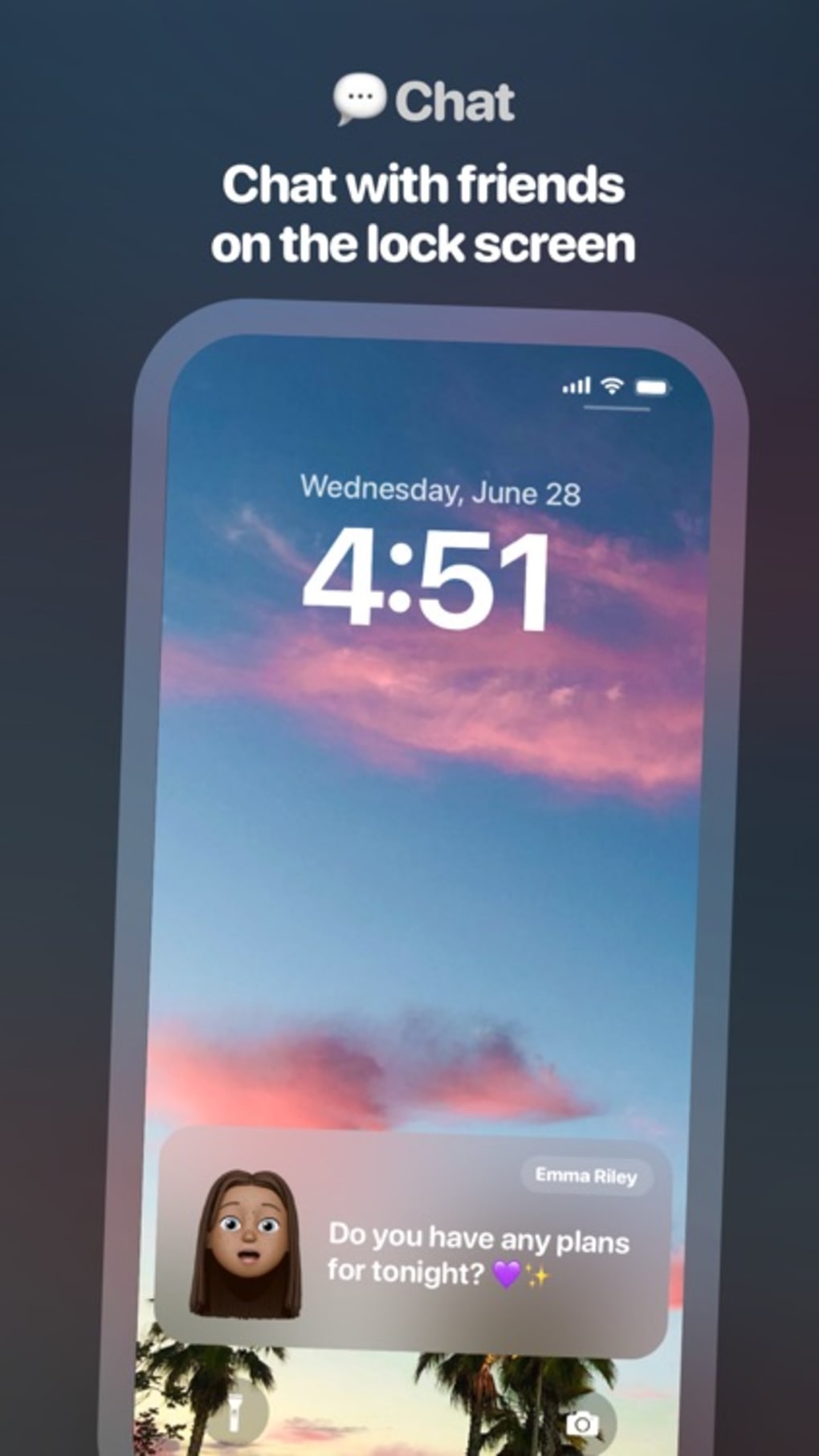
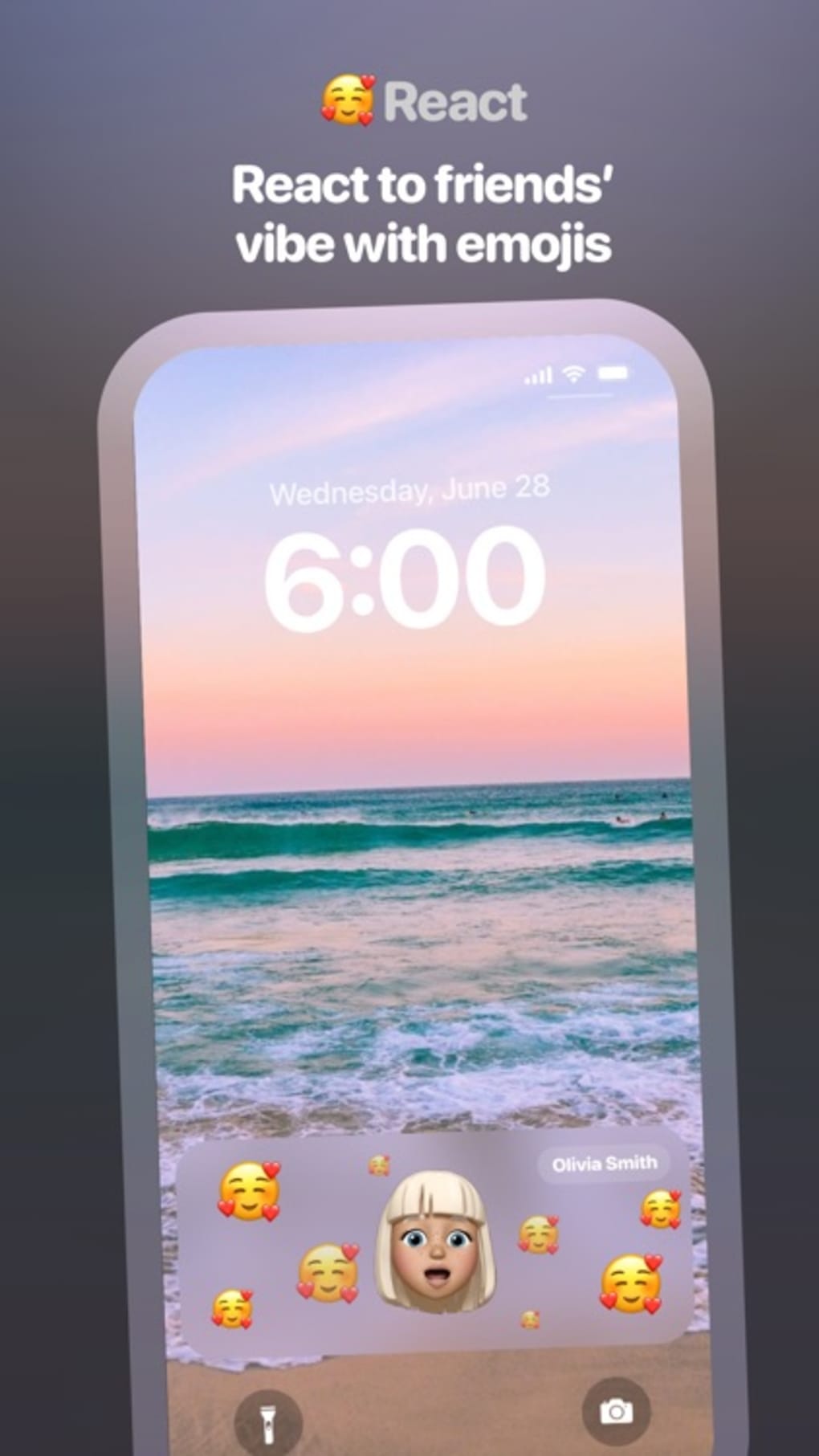
Users can react to updates directly from the lockscreen, minimizing app switching. The app also supports chat functionality within the widget, allowing for seamless conversations without opening a separate messaging app. However, the requirement to verify a phone number may pose a barrier for some users, and the limited friend list size restricts broader social integration.
Despite these constraints, Vibes Widget offers a focused, intuitive experience for those prioritizing emotional awareness in their digital interactions.
Key Features & Capabilities
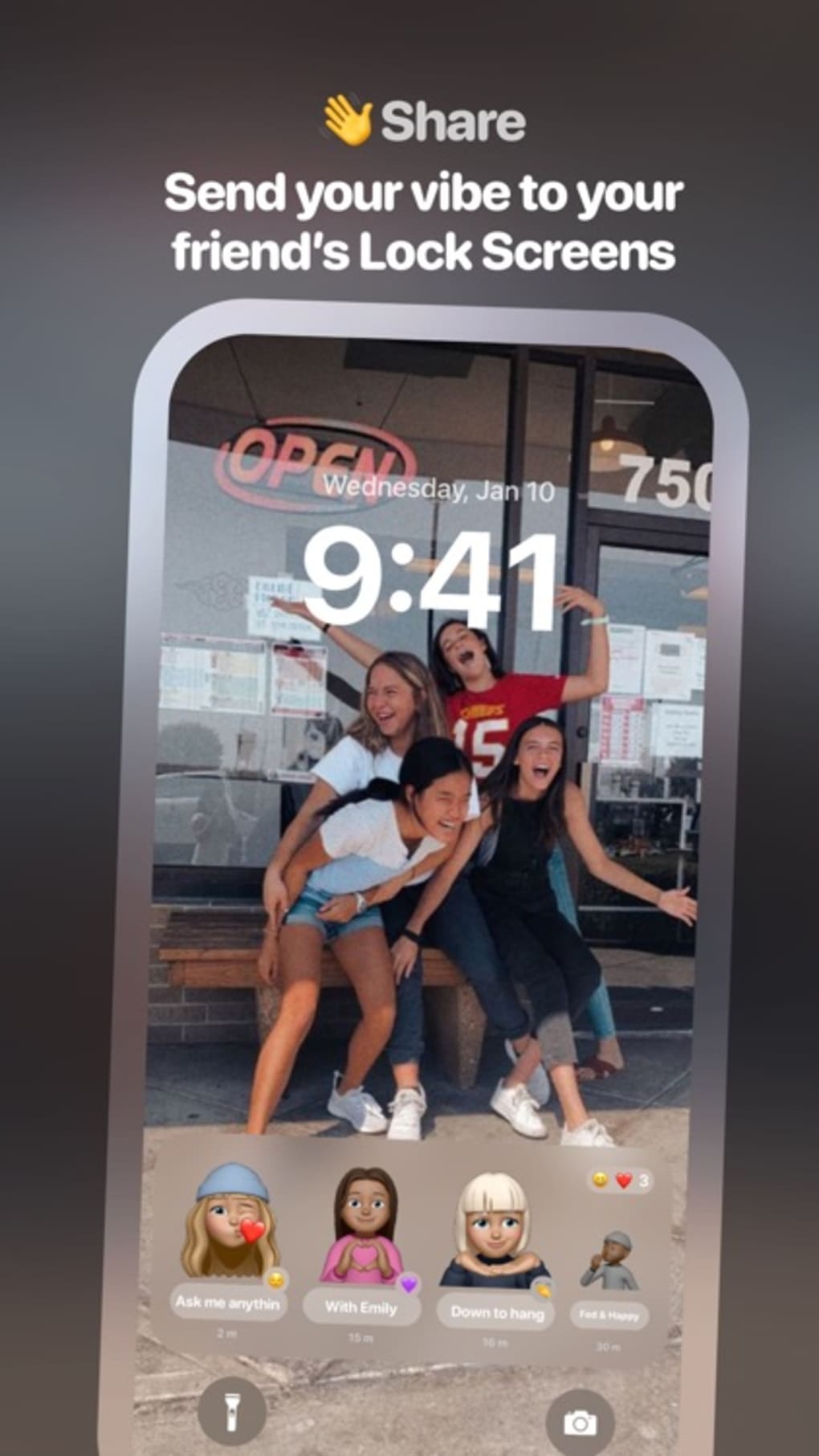
- Lockscreen Widget Integration: The app adds a customizable widget to the device’s lockscreen, enabling one-tap access to status updates and friend interactions. This allows users to quickly check in on friends or share their current mood without launching the full application.
- Real-Time Status Updates: Friends’ statuses are updated instantly when changes occur. Users receive notifications to stay informed and respond promptly, maintaining continuous emotional awareness within their social network.
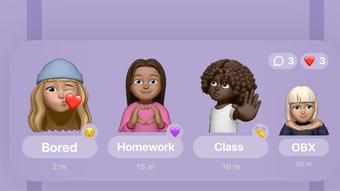
- Memoji-Based Mood Sharing: Users can express their current feelings using personalized Memojis, offering a fun and visual way to convey emotions without typing.
- Multi-Format Sharing: The app supports sharing photos, songs currently being played, and precise location data, enriching the context behind each status update and deepening social connection.
- On-Widget Messaging: Direct chat functionality is available within the widget, allowing users to send replies or messages without opening the app, improving workflow efficiency and reducing app switching.
- Friend Invitation System: Users can invite contacts by selecting them from their address book and sending a download link via message, simplifying the process of expanding their social circle within the app.
These features work together to create a lightweight, emotionally aware communication experience. For example, a user can share a photo of their morning coffee with a “feeling good” Memoji while listening to a new song, all visible on the lockscreen. Friends receive the update instantly and can reply directly from the widget. This workflow supports spontaneous, meaningful interactions without disrupting daily routines.
User Interface, Workflow & Performance
The user interface of Vibes Widget is clean and minimalistic, designed around the lockscreen widget as the central hub. Navigation is intuitive, with the widget serving as the primary access point for all interactions. Users can tap to view updates, swipe to browse recent statuses, and tap again to respond. The layout prioritizes visual clarity, making it easy to scan multiple friend updates at a glance.
Workflow efficiency is enhanced by the on-widget chat feature, which eliminates the need to open the full app for quick replies. This reduces friction in communication, especially during moments when users want to acknowledge a friend’s update without deep engagement. The app’s design encourages brief, meaningful exchanges, aligning with modern digital habits focused on immediacy and brevity.
The developer did not specify resource usage details. Performance observations are based on general software behavior patterns. The app appears to run smoothly on supported devices, with no reported lag during status updates or message delivery. Stability is maintained through consistent background refreshes, though users may experience delays if network connectivity is weak. The app does not consume excessive CPU or RAM under normal use, suggesting efficient background management.
Compatibility & System Requirements
Vibes Widget is available for both iOS and Android platforms. The app supports the latest versions of these operating systems, though exact compatibility details were not listed. Installation size is 48.5 MB, which is relatively compact for a feature-rich social app. The developer did not provide additional system requirements, such as minimum RAM, processor speed, or storage space.
Exact system requirements were not listed. Compatibility information was partially provided. The app functions as a lockscreen widget, meaning it requires system-level access permissions that may vary across device manufacturers and OS versions. Users should ensure their device supports third-party lockscreen widgets, as this capability is not available on all Android or iOS configurations. For optimal performance, devices should meet standard modern smartphone specifications.
Pros and Cons
Pros
- Intuitive lockscreen widget for real-time mood tracking
- Supports visual and multimedia updates (Memoji, photos, music)
- On-widget messaging reduces app switching
- Simple friend invitation system via contacts
- Free to download and use with no in-app purchases
Cons
- Phone number verification may fail despite correct input
- Limited friend list size restricts broader social use
- Requires all friends to install the app to function fully
- Lockscreen widget access may be restricted on some devices
- Real-time updates depend on consistent network connectivity
FAQ Section
Is Vibes Widget available for both iOS and Android?
Yes, Vibes Widget is compatible with both iOS and Android devices. Users on either platform can download and install the app to access its features.
Is the app secure and private?
The app requires phone number verification, which helps verify user identity. However, specific details about data encryption, privacy policies, or data storage were not provided by the developer.
How often does the app update?
Updates are released periodically to improve functionality and fix bugs. The latest version available is 1.2.3, released on May 10, 2024.
Can I use Vibes Widget without an internet connection?
Basic features like viewing cached status updates may work offline, but real-time updates and messaging require an active internet connection.
Is there a license type or subscription model?
Vibes Widget is completely free to download and use. There are no subscriptions or in-app purchases currently available.
Final Thoughts + CTA
Vibes Widget delivers a refreshing approach to digital social interaction by placing emotional awareness at the center of communication. Its lockscreen widget design enables effortless, real-time check-ins, making it ideal for users who value quick, meaningful connections with close friends. The integration of Memojis, multimedia sharing, and on-widget messaging enhances emotional expression without clutter.
While limitations such as phone verification issues and a capped friend list may affect broader usability, the app remains a compelling choice for small, engaged social circles. For those seeking a simple, visual way to stay in tune with friends’ moods, Vibes Widget stands out as a unique and thoughtful tool. Download Vibes Widget now.







